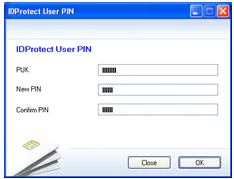
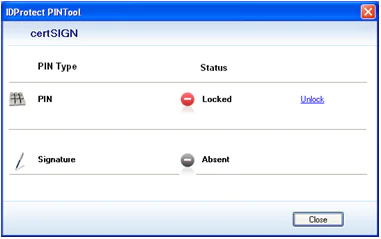
As a safety measure, the device locks when the PIN code is typed in incorrectly for 10 times in a row. To unlock it, follow these steps:
1. Click Start, All programs, IDProtect Client, then IDProtect PINTool and select Unlock.
2. Enter your PUK code in the field „PUK”. The PUK code is printed in the letter you received from certSIGN (see example here).
Warning! Your device will permanently lock if you enter the wrong PUK code 3 consecutive times. In this situation, you will need to buy a new token and a new digital certificate.
3. Enter the new PIN code in following fields: New PIN and Confirm PIN. Then click OK.