
How do I revoke my digital certificate?
To revoke your certificate, proceed as follows:
1. Go to https://registru.certsign.ro/cgi-bin/pubral/pubra/revoke_cert using Internet Explorer.
2. Fill in the Last Name, First Name, and CNP fields with your data (or Common Name field) and click the Search (Cauta) button.
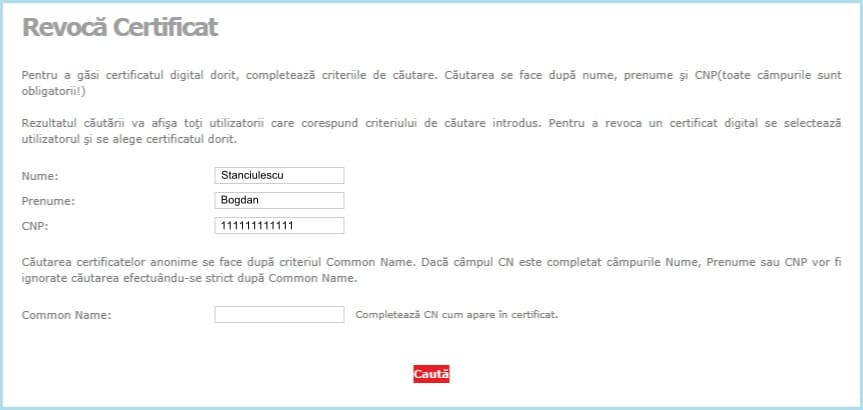
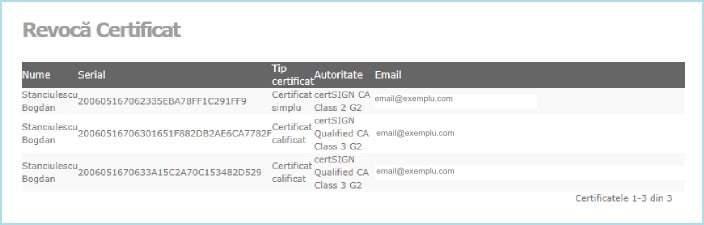
3. Select the certificate to revoke.
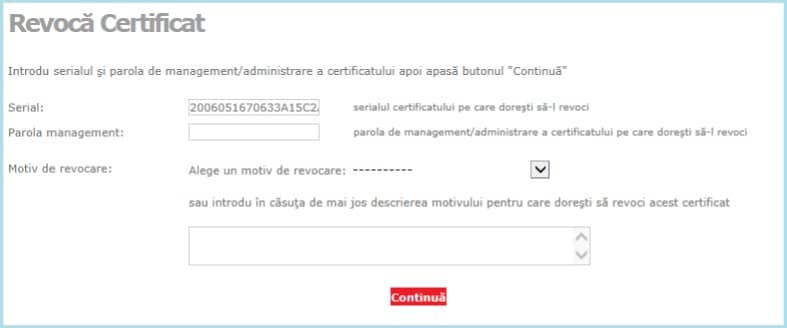
4. On the next page, enter the certificate revocation password (received from certSIGN together with the digital certificate) and select / write the reason for revocation. Then click the Next (Continua) button.
5. certSIGN will revoke your certificate within 24 hours.